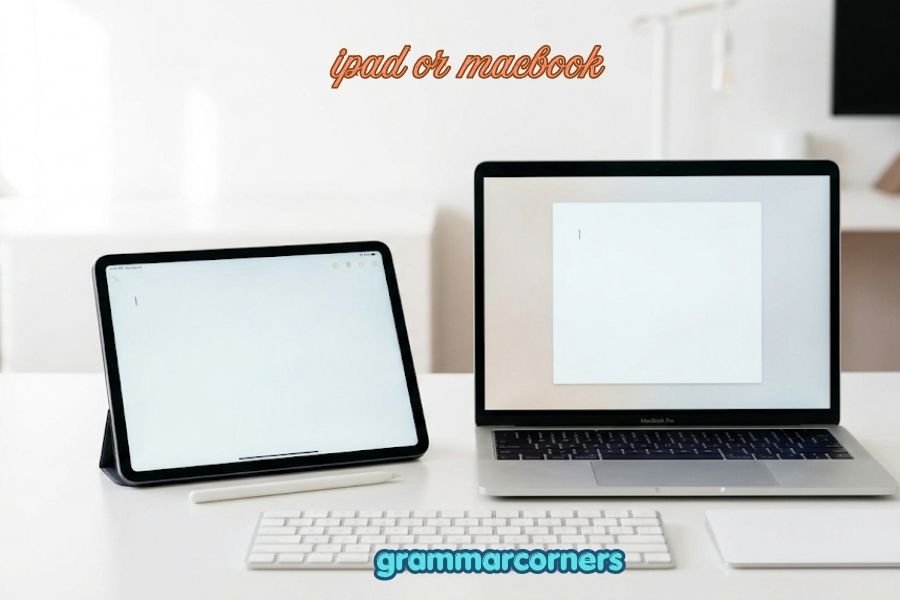
Choosing between an iPads or MacBook can be surprisingly difficult. Both are made by Apple, both have excellent displays, strong performance, and long battery life, and both can handle everyday tasks. Yet they are designed for different types of users.
The biggest question is simple: Do you need a tablet or a full computer?
An iPad is portable, touch-friendly, and excellent for browsing, streaming, reading, drawing, note-taking, and light productivity. With a keyboard and Apple Pencil, it can also become a powerful work and study device. A MacBook, however, runs macOS and offers a traditional desktop experience with more flexible multitasking, professional software, file management, and accessories.
People search for “iPads or MacBook” because the two devices overlap more than ever. An iPad can now perform many tasks that once required a laptop, while MacBooks have become thinner and more portable.
The best choice depends on your budget, school or work requirements, software needs, portability, and preferred way of working. This guide compares both devices so you can make the right choice.
iPads or MacBook – Quick Answer
Choose an iPad if you want portability, touchscreen convenience, entertainment, drawing, reading, and casual productivity.
Choose a MacBook if you need a complete computer for work, programming, professional applications, multitasking, or long writing sessions.
| If you mainly want to… | Better choice |
|---|---|
| Watch Netflix and YouTube | iPad |
| Browse the web | Either |
| Take handwritten notes | iPad |
| Draw or illustrate | iPad |
| Read PDFs and books | iPad |
| Write long documents | MacBook |
| Program/code | MacBook |
| Edit professional software projects | MacBook |
| Manage many files | MacBook |
| Use multiple desktop apps | MacBook |
| Travel frequently | iPad |
| Replace a traditional laptop | MacBook |
| Use a touchscreen | iPad |
Simple rule
If you are asking, “Can an iPad replace my laptop?”, the answer is:
Sometimes—but not for everyone.
For basic schoolwork, browsing, notes, email, video calls, and entertainment, an iPad may be enough. For demanding professional work, a MacBook is usually the safer choice.
The Origin of iPad or MacBook
Unlike questions such as Burma or Myanmar or afterward or afterwards, iPad or MacBook is not a spelling question.
These are two Apple product names.
Where does “iPad” come from?
Apple introduced the original iPad in 2010. The name combines the lowercase “i” branding Apple had already used in products such as the iMac and iPod with “Pad,” suggesting a digital writing, reading, or media pad.
The iPad was introduced as a device positioned between a smartphone and a laptop.
Where does “MacBook” come from?
MacBook combines Mac, Apple’s name for its Macintosh computer line, with Book, referring to its notebook/laptop design.
Apple introduced the MacBook family in the 2000s, building on its earlier PowerBook and iBook notebook computers.
Today, the iPad and MacBook represent two different approaches to portable computing:
- iPad: tablet-first and touch-first
- MacBook: computer-first and desktop-style
That difference remains important when deciding which device is right for you.
British English vs American English Spelling
There is no meaningful British English vs American English spelling difference between iPad and MacBook.
Apple uses the same brand names worldwide.
| Term | American English | British English |
|---|---|---|
| iPad | iPad | iPad |
| MacBook | MacBook | MacBook |
| Tablet | Tablet | Tablet |
| Laptop | Laptop | Laptop |
| Computer | Computer | Computer |
However, the surrounding vocabulary can vary.
For example, Americans commonly say “laptop,” while British speakers may also use “laptop computer” or simply “laptop.” The product name itself does not change.
Correct capitalization
Use:
✅ iPad
✅ MacBook
✅ MacBook Air
✅ MacBook Pro
Avoid:
❌ Ipad
❌ I-Pad
❌ Macbook
❌ Mac Book
When referring to Apple’s product, MacBook has a capital M and B.
Which Spelling Should You Use?
If you are writing about Apple’s products, use the official product names:
iPad and MacBook
This applies to American English, British English, Canadian English, Australian English, and most other English-language markets.
For US audiences
Use iPad and MacBook exactly as Apple brands them.
Example:
“Should I buy an iPad or MacBook for college?”
For UK and Commonwealth audiences
The product names remain:
“Should I buy an iPad or MacBook for university?”
The terminology surrounding the products may vary slightly, but the brand names do not.
For global audiences
Use iPad and MacBook consistently. If discussing specific models, include the complete model name when accuracy matters.
Common Mistakes with iPad or MacBook
Because these are brand names, several capitalization and usage mistakes are common.
1. Writing “Ipad”
❌ Ipad
✅ iPad
The first letter is lowercase i, followed by a capital P.
2. Writing “Macbook”
❌ Macbook
✅ MacBook
The B should be capitalized.
3. Writing “Mac Book”
❌ Mac Book
✅ MacBook
MacBook is written as one word.
4. Treating an iPad as exactly the same as a MacBook
An iPad and MacBook overlap in many tasks, but they have different operating systems and user experiences.
5. Assuming the most expensive device is automatically better
More expensive does not always mean better for your needs.
An iPad may be the better choice for someone who values portability, touch input, and handwriting.
6. Assuming every iPad replaces a laptop
Some users can replace a laptop with an iPad, while others need macOS applications and desktop workflows.
iPad or MacBook in Everyday Examples
The phrase “iPad or MacBook” commonly appears in product searches, technology discussions, emails, and social media.
In an email
“I’m deciding between an iPad or MacBook for university. Which would be better for taking notes and writing assignments?”
In a technology article
“The choice between an iPad or MacBook depends on how you plan to use the device.”
On social media
“iPad or MacBook for college students—which one would you choose?”
In a buying guide
“If you need professional desktop applications, a MacBook may be the better option.”
In formal writing
“Consumers should consider portability, software compatibility, performance requirements, and budget before choosing between an iPad and MacBook.”
iPad vs MacBook: Performance and Productivity
The right device depends heavily on your workflow.
iPad
An iPad is particularly attractive for:
- Touchscreen use
- Handwritten notes
- Drawing
- Reading
- Browsing
- Video streaming
- Casual gaming
- Video calls
- Lightweight productivity
- Portable work
Adding a keyboard can make an iPad much more useful for typing.
MacBook
A MacBook is better suited to:
- Long-form writing
- Programming
- Professional applications
- Complex multitasking
- Desktop file management
- Advanced photo and video workflows
- Multiple external displays
- Traditional computer workflows
The important point is that performance and usability are not the same thing. An iPad can have powerful hardware but still feel less suitable for a task if the required software or workflow is designed for macOS.
iPad vs MacBook: Comparison Table
| Feature | iPad | MacBook |
|---|---|---|
| Form factor | Tablet | Laptop |
| Touchscreen | Yes | No touchscreen on standard MacBook models |
| Keyboard | Optional | Built-in |
| Trackpad | Optional/accessory | Built-in |
| Operating system | iPadOS | macOS |
| Apple Pencil support | Selected models | No |
| Portability | Excellent | Very good |
| Multitasking | Good | Excellent |
| Desktop software | More limited | Extensive |
| Handwritten notes | Excellent | Limited |
| Drawing | Excellent | Requires external input device |
| Programming | Limited compared with macOS | Excellent |
| File management | Simpler | More flexible |
| Long typing sessions | Better with keyboard accessory | Excellent |
| Entertainment | Excellent | Very good |
| Laptop replacement | Depends on user | Yes |
| Best for | Touch, notes, media, portability | Work, study, professional computing |
iPad or MacBook – Google Trends & Usage Data
Search interest for “iPad or MacBook” can change based on product launches, back-to-school periods, holiday shopping, new Apple hardware, and major software updates.
Google Trends measures relative search interest, rather than providing an exact number of searches. Interest can also vary significantly by country and time period.
People commonly search phrases such as:
- “iPad or MacBook for college”
- “iPad or MacBook for students”
- “iPad or MacBook for work”
- “iPad vs MacBook”
- “iPad or MacBook Air”
- “Can iPad replace MacBook?”
Search intent is often strongest around education, productivity, price comparisons, and buying decisions.
For SEO content, it is useful to include related terms such as iPad vs MacBook, iPad or MacBook for students, and can an iPad replace a MacBook, while keeping the primary keyword natural.
iPad or MacBook for Students
For students, the answer depends on the course.
Choose an iPad if you:
- Take lots of handwritten notes
- Read many PDFs
- Annotate textbooks
- Draw diagrams
- Want a lightweight device
- Mainly use web-based applications
- Already have access to another computer
Choose a MacBook if you:
- Write many essays
- Need desktop applications
- Study computer science
- Need programming tools
- Work with complex spreadsheets
- Use professional creative software
- Want one device for almost everything
For many students, an iPad can be an excellent secondary device, while a MacBook can serve as the primary computer.
iPad or MacBook for Work
For professional work, a MacBook is usually the more flexible option.
A MacBook provides a traditional desktop environment and supports a broad range of applications and workflows.
An iPad can still be excellent for professionals who primarily:
- Read documents
- Attend meetings
- Take notes
- Present information
- Respond to email
- Travel frequently
- Use cloud-based applications
If your job depends on specialized desktop software, check software compatibility before choosing an iPad.
FAQs About iPad or MacBook
1. Is an iPad better than a MacBook?
Neither is universally better. An iPad is better for touch-based use, portability, reading, drawing, and handwritten notes. A MacBook is better for desktop software, programming, multitasking, and demanding professional work.
2. Can an iPad replace a MacBook?
For some users, yes. For people who need desktop applications, advanced multitasking, programming tools, or specialized professional software, a MacBook is usually a better fit.
3. Is an iPad good for college?
Yes. An iPad can be excellent for note-taking, reading, research, presentations, and light productivity. However, students should check whether their courses require software that only runs on macOS or Windows.
4. Is a MacBook better for students?
It can be. A MacBook is particularly useful for students who write extensively, program, manage many files, or need desktop applications.
5. Can I use Microsoft Office on an iPad?
Yes. Microsoft provides iPad versions of major Office applications, although features and workflows can differ from the desktop versions.
6. Which is better for drawing, iPad or MacBook?
An iPad is generally the better choice for drawing because supported iPad models work with Apple Pencil and provide a direct touchscreen drawing experience.
7. Which lasts longer, an iPad or MacBook?
Battery life depends on the specific model and how you use it. Both can provide strong battery life, but you should compare the exact models rather than assuming one category always lasts longer.
Final Verdict: iPad or MacBook?
The choice between iPad or MacBook comes down to what you need from your device.
Choose an iPad if you want a lightweight, touch-friendly device for browsing, entertainment, reading, handwritten notes, drawing, and light productivity. It is especially appealing if portability is your top priority.
Choose a MacBook if you want a traditional computer for writing, programming, professional applications, multitasking, file management, and demanding work. It is generally the safer option when you need one device to handle a wide range of computer tasks.
An iPad can replace a laptop for some people, but it should not automatically be considered a laptop replacement for everyone. Your software requirements matter more than specifications alone.
Before buying, make a list of the applications and tasks you use most. If they work comfortably on iPadOS, an iPad may be all you need. If they require macOS or a traditional desktop workflow, choose a MacBook.
In short: iPad for flexibility and touch; MacBook for full computer productivity.